What Is the Best USB to PS2 Adapter in 2026?

Time:2026-11-08 Author:Sophia
0%

Choosing the best Usb To Ps2 Adapter in 2026 depends on more than its price or shape. The right choice must match your device, your computer’s port, and the kind of conversion required. A small plug can look convincing and still fail to connect.

That distinction matters. Some adapters are passive and work only with keyboards or mice designed to support both USB and PS/2 signaling. Active converters perform the translation themselves, but compatibility can still vary by device and operating system. Check the product’s specifications, connector direction, and supported peripherals before buying. When possible, test with the exact keyboard or mouse you plan to use.

There are practical details, too. PS/2 ports are often color-coded, but labels and layouts are not always clear. Some older computers may not recognize a device connected after startup, so connecting it before powering on is a sensible precaution. Not glamorous. Useful.

This guide compares adapter types, compatibility clues, build quality, and everyday setup concerns to help narrow the options. It also explains why there may be no single best pick for every user. An inexpensive passive adapter could be right for one compatible keyboard, while another setup may need an active converter. Product listings can be vague, and even careful research cannot guarantee every combination will work. That is worth admitting. The goal is a better-informed choice, not a promise of universal compatibility.
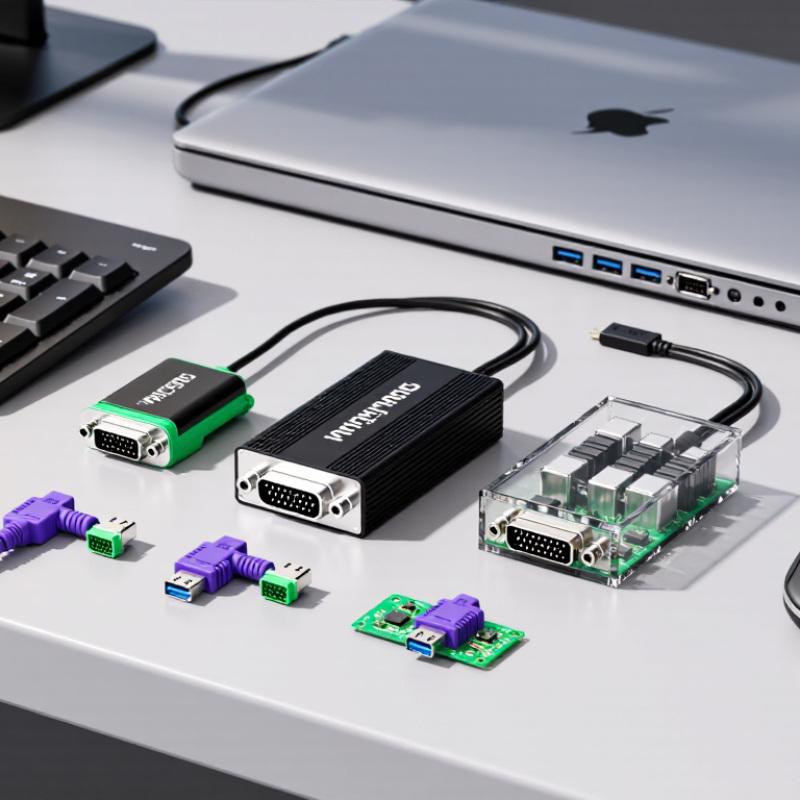
What Is the Best USB to PS2 Adapter in 2026?

USB-to-PS/2 Basics: 6-Pin Mini-DIN Connectors and USB-IF HID Standards

A PS/2 port uses a six-pin Mini-DIN connector, with separate clock and data lines for keyboard or mouse signals. USB uses a host-device connection instead. That difference matters. The USB Implementers Forum’s HID Class Definition 1.11 describes how keyboards and mice report input, including a boot protocol for basic devices. Its USB 2.0 specification lists low-speed USB at 1.5 Mbit/s and full-speed at 12 Mbit/s.

These are signaling rates, not measures of typing performance. A small but useful distinction.

For a 2026 adapter, check whether it actively translates signals or simply rewires them. A passive adapter generally needs a keyboard designed to support both USB and PS/2 signaling; the plug alone cannot add that capability. An active converter contains circuitry to translate between interfaces, but implementation quality still varies. Test key rollover, function keys, and startup behavior on the actual computer.

Some compatibility claims look broader than real-world results. I would not assume that a device working in a desktop operating system will also work in firmware menus.

The technical references here are the USB-IF HID Class Definition 1.11 and USB 2.0 Specification, which define the relevant HID behavior and transfer rates.

Active vs. Passive Adapters: USB HID Support and PS/2 Signal Requirements

What Is the Best USB to PS2 Adapter in 2026?

Choosing a USB-to-PS/2 adapter depends on what the USB device can actually send. A passive adapter contains no signal-conversion electronics. It works only when a keyboard or mouse already supports both USB and PS/2 signaling, even if its plug is USB. Check the device documentation; connector shape alone proves little. This catches many buyers out.

An active adapter performs the conversion between USB HID communication and PS/2 signals. It is usually the better choice for a standard USB keyboard or mouse, but compatibility still varies. Some converters handle basic keys and clicks yet miss extra buttons, media controls, or unusual report formats. PS/2 ports also expect device-specific signaling and may not support hot-plugging reliably. Turn off the computer before connecting one when practical. I would not assume every active converter behaves identically; that is an easy mistake.

Tips: Identify whether your device supports dual-protocol operation before buying. For a passive adapter, look for explicit PS/2 compatibility in the manual. For an active converter, check its supported keyboard or mouse features, then test ordinary typing and pointing first. Keep expectations modest with specialized functions. A small compatibility gap can be frustrating.

What Is the Best USB to PS2 Adapter in 2026? — Active vs. Passive Adapters: USB HID Support and PS/2 Signal Requirements

Comparison Passive USB-to-PS/2 Adapter Active USB-to-PS/2 Converter What to Check Before Buying
What it does Changes the connector wiring; it does not translate USB data into PS/2 signals. Contains electronics that communicate with a USB device and generate PS/2-style signals for the computer. Confirm that the product is a signal converter, not just a plug-shaped adapter.
USB HID support Does not independently support or interpret USB HID. The keyboard or mouse must itself support PS/2 signaling. Must support the USB HID device types and reports it claims to convert. Keyboard and mouse support may differ. Look for explicit support for your device type and functions, such as extra buttons or special keys.
PS/2 signal requirement Requires a dual-mode device designed to provide PS/2 signals through the adapter. Generates PS/2 signaling on the computer-facing side; the USB device connects to the converter’s USB-facing side. A connector that fits does not prove that the device and host use compatible signals.
Typical compatibility Works only with compatible dual-mode keyboards or mice and a PS/2 port that supports the device. Can support ordinary USB HID keyboards or mice when the converter specifically implements the required device and PS/2 functions. Check whether the converter supports keyboard, mouse, or both; do not assume universal compatibility.
Setup and power Usually needs no electronics or separate power, but only works with devices that provide PS/2 mode. Needs operating electronics and power from a specified source, commonly the USB connection; some models have additional requirements. Check the connection direction, power instructions, and whether any setup or driver is required.
Extra keys and features Depends on the keyboard or mouse’s own PS/2-compatible mode and the host’s support. Features beyond basic keyboard or mouse input may not pass through unless the converter explicitly supports them. Verify special keys, media controls, extra mouse buttons, and other required functions individually.
Hot-plugging PS/2 ports are generally intended for connection before startup; unplugging or connecting while powered can cause problems. Although the USB side is hot-pluggable in general, the PS/2 side still follows the host’s PS/2 connection requirements. For a PS/2 host, connect the adapter and device with power off unless the computer documentation says otherwise.
Best use case A low-cost option when the input device is explicitly documented as supporting PS/2 mode. The more suitable choice when connecting a USB-only HID keyboard or mouse to a computer with a PS/2 port. Match the converter to the exact device type, required features, and host port.
Practical recommendation Choose only when both the device and its documentation confirm PS/2 compatibility. Choose an active converter with clearly stated USB HID and PS/2 keyboard or mouse support. For a USB-only device, a passive adapter cannot perform the required protocol conversion.

Compatibility Checks: Keyboard, Mouse, BIOS, and Operating-System Support

Before buying a USB-to-PS/2 adapter, check its direction and conversion type. Direction matters. A small passive plug usually works only with a keyboard or mouse designed to support both USB and PS/2 signaling. It will not convert every USB device for a PS/2 socket. An active converter may perform that job, but keyboard and mouse support can differ. Read the compatibility list carefully, and confirm the adapter has the correct PS/2 connector for your device. Test each device.

BIOS support is a separate check. Some older computers accept input through the PS/2 port before the operating system loads; others require a BIOS setting or do not recognize a converter during startup. Try entering setup with the intended keyboard, then test it at the boot screen. For mouse support, check whether the BIOS offers pointer control at all. Once the operating system starts, a standard keyboard may work without extra drivers, but multimedia keys and unusual mouse buttons can be unreliable. A cursor that moves smoothly on the desktop proves little about startup compatibility. If possible, test the exact keyboard, mouse, computer, and operating-system version together. I would not assume that a converter advertised as universal behaves universally.

What Is the Best USB to PS/2 Adapter in 2026?

Compatibility check: keyboard, mouse, BIOS, and operating-system support

Scores indicate typical capability, not a guarantee: 0 = not supported by conversion alone, 1 = conditional on device or system support, and 2 = generally supported with a compatible converter. Passive adapters require a keyboard or mouse that supports both USB and PS/2 signaling. Active converters translate the protocols, but BIOS pre-boot support and operating-system behavior still depend on the converter and host.

USB-IF Data-Rate Context: USB 2.0 Specifies a 480-Mbit/s Maximum

For a USB-to-PS/2 adapter in 2026, the 480-Mbit/s figure is useful context, not a buying target. USB-IF specifies this as USB 2.0’s maximum high-speed signaling rate. It does not mean an adapter delivers that much usable data. Protocol overhead and the connected devices affect actual throughput. That is ample. A keyboard or mouse sends small, intermittent input reports, so raw bandwidth rarely decides whether an adapter works.

Compatibility matters more. An active converter translates between USB signaling and PS/2 signaling; a simple pin adapter works only with devices designed to support both. Check the adapter’s stated support for your keyboard or mouse, and confirm that your computer has a functioning PS/2 port. Older firmware can behave differently from a modern operating system. Still, check compatibility. A fast USB rating cannot fix a missing translation chip or an unsupported device. I would treat the data-rate number as background, then test the exact combination you plan to use. The awkward part is that listings do not always explain this clearly.

2026 Adapter Evaluation: Verified Device Compatibility, Build, and Testing

What Is the Best USB to PS2 Adapter in 2026?

A reliable evaluation checks whether an adapter translates signals, not merely whether its plugs fit. The USB 2.0 Specification lists signaling rates of 1.5, 12, and 480 Mbit/s. These figures describe USB, not adapter quality or PS/2 compatibility. That distinction matters.

Many compact adapters are passive: they work only with keyboards or mice designed to support both connection types. An active converter performs signal translation and should be assessed separately.

A useful test matrix covers several keyboards and mice, cold starts, repeated key presses, pointer movement, and restart behavior. Include pre-boot screens as well as a current operating system; success in one setting does not guarantee success in another. The HID Usage Tables document standard input functions, offering a reference for checking whether keys and controls register correctly.

Small detail, big impact.

Also inspect the connector shell, cable strain relief, and fit in a crowded rear panel. A slightly loose socket can interrupt input when a cable shifts.

Record each result, including failures, and identify the exact devices tested. Avoid broad claims based on one successful setup. One weakness in this approach: testing every legacy keyboard is impractical. State that limitation plainly, and distinguish observed results from expected compatibility.

FAQS

What connector does a PS/2 port use?

It uses a six-pin Mini-DIN connector. Separate clock and data lines carry keyboard or mouse signals.

What is the difference between a passive adapter and an active converter?

A passive adapter only changes the connection. It works when the device already supports both USB and PS/2 signaling. An active converter translates between the interfaces.

Can a passive adapter make any USB keyboard work with PS/2?

No. The keyboard must support PS/2 signaling already. Check its documentation; the plug shape alone proves nothing.

Is an active converter compatible with every USB keyboard or mouse?

Not necessarily. Basic typing and clicking may work, while media controls or extra buttons may not. Compatibility varies.

What should I test after connecting a converter?

Test ordinary typing, pointing, function keys, and key rollover. Also check startup behavior on the actual computer. Small details matter.

Will an adapter work in firmware menus as well as an operating system?

Not always. A device that works after startup may fail in firmware menus. I would test both.

Should I connect a PS/2 adapter while the computer is running?

PS/2 ports may not handle hot-plugging reliably. Turn off the computer before connecting one when practical. Safer, and simpler.

Do USB signaling rates describe typing speed?

No. USB low-speed is 1.5 Mbit/s, and full-speed is 12 Mbit/s. These are signaling rates, not typing-performance measures. I used to conflate those.

Conclusion

Choosing the best Usb To Ps2 Adapter in 2026 starts with understanding how the connection works. PS/2 uses a 6-pin Mini-DIN connector, while USB devices rely on USB-IF HID standards to communicate with a computer. A passive adapter simply changes the connector and generally depends on the keyboard or mouse already supporting both signal types. An active adapter performs the necessary signal conversion, making it a more suitable option when that dual-mode support is absent.

Before buying, check compatibility with the specific keyboard or mouse, as well as the computer’s BIOS and operating system. USB 2.0 has a maximum specified data rate of 480 Mbit/s, but that figure alone does not determine whether an adapter will work; reliable signaling and device support matter more. A careful 2026 evaluation should therefore prioritize verified compatibility, sturdy construction, and practical testing across startup and everyday use, rather than relying on connector appearance or advertised speed alone.


Sophia

Sophia

Sophia is a dedicated marketing professional with an exceptional depth of knowledge about her company's products and services. With a keen understanding of market trends and customer needs, she crafts insightful blog posts that not only inform but also engage readers, enriching the company’s online......