Choosing an Adapter 24v is not just a matter of matching a plug. The output voltage must suit the device, while the adapter’s current rating should meet or exceed its actual demand. Check the device label and manual before buying. Small details matter. A 24-volt supply with the wrong polarity or barrel size can fail to power equipment, even when the numbers seem right.
EMC specialist Henry Ott’s design principle is useful here: “The best way to solve an EMC problem is not to create it in the first place.” For an adapter, that means considering electrical noise, cable length, and the environment around sensitive equipment. Also confirm whether the device needs regulated DC output, and compare connector dimensions carefully. A label marked “24V” does not tell the whole story. Heat matters too. A tightly enclosed adapter may run hotter than one with open airflow, so check its rated operating conditions and avoid guessing about headroom. Not always obvious.
In this guide, we’ll look at voltage and current ratings, polarity, connectors, efficiency, and safety marks. We’ll also consider practical details, such as whether the adapter will sit beside a router, machine controller, or LED system. One imperfect habit deserves a second look: buyers often choose by price or appearance first. I have seen that shortcut create avoidable returns. A few minutes with the product label and datasheet can prevent a poor fit and help you choose a dependable Adapter 24v for the intended load.
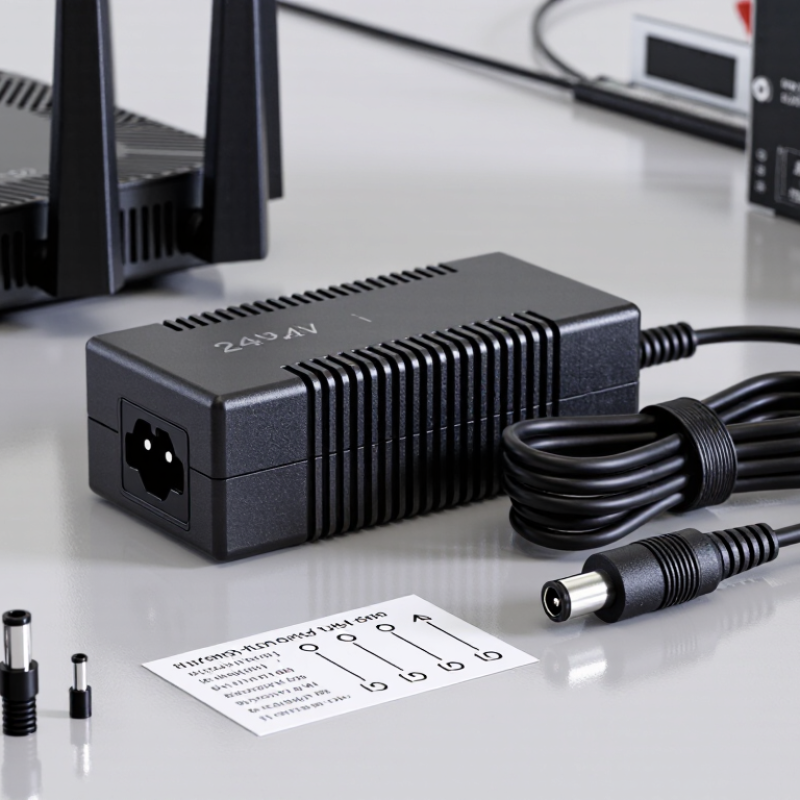
How to Choose the Right 24V Adapter?
Identify the Device’s Voltage and Power Requirements
Start with the device label or manual. Confirm that it requires 24V DC, not 24V AC, and check the listed current in amperes. Voltage should match the device’s specified input; a higher-voltage adapter can damage its circuitry. The adapter’s current rating should meet or exceed the device’s requirement. For example, a 24V device rated at 2A needs at least 48W, calculated as volts multiplied by amps. A higher current capacity does not push extra current into the device. Check twice. Also verify connector size and polarity; a plug that fits can still be wired incorrectly. If the label is unclear, pause and confirm the specification with the device maker rather than guessing.
Efficiency matters, but it does not replace a correct voltage match. The U.S. Department of Energy’s external power supply test procedure evaluates average active-mode efficiency at four load points: 25%, 50%, 75%, and 100%. This is a useful reminder that an adapter may behave differently under light and full load. Choose a supply rated for the device’s continuous demand, and allow practical headroom if the device has motors or other startup surges. The label may not explain those surges. That uncertainty deserves attention, especially when an adapter will run warm or operate for long periods.
| Check or Example | Device Requirement | Current or Power Calculation | Adapter Selection | Important Notes |
|---|---|---|---|---|
| Voltage | Device label specifies 24V DC | Voltage must match the device’s specified input voltage. | Choose a regulated 24V DC adapter. | Do not use a 24V AC adapter for a DC device, or the reverse. Do not assume a device marked 24V can accept a different voltage. |
| 24V lighting fixture — illustrative rating | 24V DC, 12W | 12W ÷ 24V = 0.5A | At least 24V DC, 0.5A (12W); a higher current rating is acceptable. | Confirm the fixture’s input rating and connector polarity. For a longer LED installation, include the total load of all connected sections. |
| 24V control unit — illustrative rating | 24V DC, 24W | 24W ÷ 24V = 1A | At least 24V DC, 1A (24W). | Use the device’s stated maximum input current or power when available, rather than estimating from typical operation. |
| 24V small pump — illustrative rating | 24V DC, 48W | 48W ÷ 24V = 2A | At least 24V DC, 2A (48W), subject to the pump’s startup-current requirement. | Motors may briefly draw more current at startup. Check the device documentation and allow for that surge when sizing the adapter. |
| 24V monitor or display — illustrative rating | 24V DC, 60W | 60W ÷ 24V = 2.5A | At least 24V DC, 2.5A (60W). | Check that the connector dimensions and polarity match; a connector that physically fits is not necessarily electrically compatible. |
| 24V motorized equipment — illustrative rating | 24V DC, 96W | 96W ÷ 24V = 4A | At least 24V DC, 4A (96W), or higher if the manufacturer specifies a larger startup allowance. | For equipment with motors or changing loads, use the manufacturer’s recommended adapter rating when provided. |
| Connector and polarity | Must match the device input | Check plug type, barrel dimensions, and center-positive or center-negative marking. | Select an adapter with the same connector and polarity. | Reversed polarity or an incorrectly sized plug can prevent operation or damage equipment. |
| Adapter output current and power | Adapter current capacity must meet or exceed the device requirement. | For a 24V device: watts = 24V × amps. | A higher current capacity is generally suitable when voltage, AC/DC type, polarity, and connector all match. | The device draws the current it needs; the adapter’s higher current rating is its available capacity, not a current forced into the device. |
| Before connecting | Verify the device label or manual | Confirm input voltage, AC/DC type, current or watts, polarity, and connector. | Use an adapter whose output matches all required specifications. | The example ratings above are illustrative, not universal specifications. The device label or manufacturer documentation takes priority. |
Check the device label or manual. It must specify 24V DC, not 24V AC. Match the required voltage exactly; higher voltage can damage the circuitry. Check twice.
Its current rating should meet or exceed the device’s requirement. A 24V device rated at 2A needs at least 2A. The device draws the current it needs; a higher adapter rating does not force extra current into it.
Multiply volts by amps. A 24V, 2A device needs at least 48W. If the device lists 60W, divide by 24 to estimate its current: 2.5A.
Some motors and illuminated devices briefly draw more power when starting. A little extra capacity may help, but check the manual if peak demand is unclear. Don’t guess.
Compare its outer diameter, inner diameter, and length with the device’s required connector. A caliper gives a more reliable measurement than a photo. A plug can fit loosely or fail to seat fully.
Match the polarity symbol on the adapter to the device’s label or manual. The symbol shows whether the center contact is positive or negative. A plug can fit and still have the wrong polarity.
Confirm that the wall plug suits the outlet and the device-side connector matches the equipment. If the adapter uses interchangeable tips, check that the selected tip is secure and correctly polarized. I used to overlook these details. That shortcut was not useful.
No. Efficiency can vary under light and full loads, but the voltage must still match the device. Choose an adapter rated for continuous demand, and seek help if its specifications are unclear.
Choosing the right 24V adapter starts with checking your device’s label or manual for its required voltage, current, and power. The adapter’s output voltage should match the device’s requirement, while its current rating and wattage should meet or exceed the amounts the device needs. An Adapter 24v with insufficient power may not operate reliably, so compare these specifications before buying.
Next, confirm that the connector fits securely and that its polarity and plug type match the device and your power outlet. Review the adapter’s safety certifications and protective features, such as safeguards against overcurrent, overheating, and short circuits. Finally, verify compatibility with the specific device and local outlet. Taking these steps helps you choose an adapter that delivers suitable power and fits safely.

 ELITE POWER