Selecting the right USB data cable can significantly affect your device’s performance. The market is flooded with options, making the choice overwhelming. A high-quality USB data cable can enhance data transfer speed and charging efficiency. It’s not just about looks; performance hinges on materials and construction.
Consider the specifications that matter most. Look for cables that support the latest USB standards. Compatibility is crucial, too. Ensure the cable works with all your devices. Sometimes, cheaper options may compromise quality, leading to frustration. A flimsy cable may fail when you need it most.
Remember, a good USB data cable should last longer and perform better. Investing in a reliable product is wise, particularly for frequent users. Be cautious of exaggerated claims from manufacturers. Thoroughly research options and read reviews for insights from other users. A little due diligence goes a long way in making the best choice.
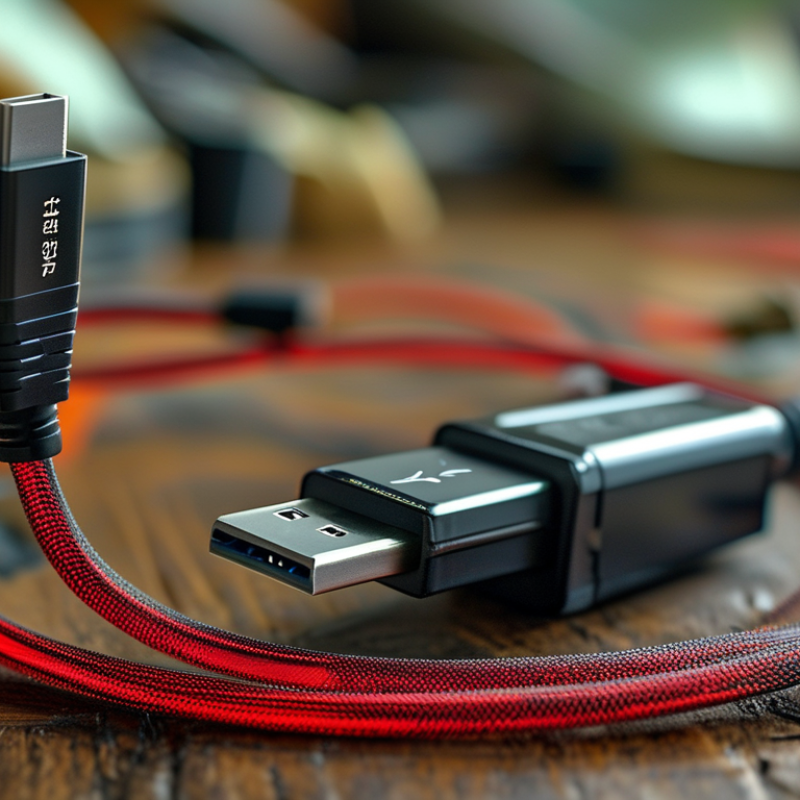
When selecting the best USB data cable, understanding the various types and their functions is crucial. USB cables come in many varieties, including USB-A, USB-B, Micro USB, and USB-C. According to a recent report by the USB Implementers Forum, over 3 billion USB-C ports were shipped in 2020 alone, highlighting the shift towards this versatile format. USB-C cables support faster data transfer rates and power delivery, making them suitable for modern devices.
Micro USB cables are still prevalent, particularly in older smartphones and devices. However, they cannot match the speed and efficiency of USB-C. A 2022 industry report showed that USB-C cables have become the standard across many sectors, proving their dominance in the market. The longevity and durability of these cables are important to consider. Not all USB cables are created equal; some may wear down quickly or fail to deliver adequate power.
Compatibility is another essential factor to keep in mind. Not all devices support every type of cable. Many users often face frustration when their new device does not connect properly. In many cases, this miscommunication arises from using the wrong USB type. This emphasizes the need to be well-informed about your specific devices and their requirements to ensure a seamless user experience.
When choosing a USB data cable, understanding specifications for data transfer speed is crucial. Different cables serve different purposes. For instance, USB 2.0 generally supports speeds up to 480 Mbps, while USB 3.0 can reach up to 5 Gbps. If you're transferring large files frequently, opt for a USB 3.0 or higher cable. It's vital to match the cable with your device's capabilities, as using an incompatible or lower quality cable could hinder performance.
Pay attention to cable length as well. Longer cables can experience signal degradation, which affects data transfer speed. Ideally, select a cable that’s long enough to suit your needs but not excessively long. Additionally, look for hardware ratings. Some cables are designed for faster charging or specific devices. This can impact overall usability.
Always consider build quality when making your selection. A flimsy cable can lead to wear and tear over time, affecting both speed and reliability. Seek out cables with sturdy connectors and durable outer materials. It may take time to find the right cable. Don’t hesitate to experiment as you refine your preferences. Making a thoughtful choice can minimize headaches in the long run.
When it comes to choosing a USB data cable, evaluating the cable length is crucial. A 2019 survey from the International Data Corporation (IDC) noted that 72% of users reported frustration due to inadequate cable length. Short cables limit device usage and can lead to wear and tear. Meanwhile, overly long cables can create clutter and increase resistance, affecting charging speed. Striking the right balance is essential for user satisfaction.
Consider your specific needs before making a choice. If you're frequently charging a device from a wall outlet, longer cables (6 feet or more) may offer flexibility. However, if you mainly connect devices on a desk, shorter cables (3 feet) minimize tangling. According to a report by MarketsandMarkets, more than 60% of consumers prioritize cable length based on their daily routines. Evaluating these aspects can simplify your decision-making process.
Moreover, think about where you'll be using the cable. For travel, a shorter, portable option can be more convenient. While a longer cable provides more versatility at home, research from Statista showed that 54% of consumers also consider storage space when choosing a cable length. Understanding both your lifestyle and storage options may refine your selection process and enhance daily experience.
When selecting the right USB data cable, compatibility with your devices is crucial. The rapid evolution of USB standards can create confusion. USB Type-C cables, for example, support various protocols including USB 3.2 and Thunderbolt 3. A report from the USB Implementers Forum indicates that nearly 30% of consumers encounter issues due to mismatched cables. These problems can lead to slower data transfer speeds or even device damage.
Understanding the specifications is essential. Data cables may support different charging speeds, affecting usability. A study from Tech Insights revealed that cables rated for higher wattage provide faster charging for devices. However, using an incompatible cable could prevent your device from receiving optimal power. It’s often a matter of checking both the cable and device specifications before making a choice.
Consumers frequently overlook the importance of quality. Many factors come into play, such as material and design. A report from Consumer Reports suggests that poorly constructed cables are more prone to fail. Investing in a reliable cable can save time and frustration. Checking reviews and avoiding overly cheap options can lead to better performance and longevity.
| Tip Number | Tip | Details |
|---|---|---|
| 1 | Check Compatibility | Ensure the cable works with your devices (smartphone, tablet, etc.). |
| 2 | Consider Length | Choose a cable length that suits your needs, from short to long. |
| 3 | Data Transfer Speed | Look for cables that support fast data transfer speeds (USB 3.0 or higher). |
| 4 | Durability | Select cables with reinforced connectors and robust materials for longevity. |
| 5 | Brand Reputation | Research and choose brands with positive reviews and quality assurance. |
| 6 | Connector Type | Verify the type of connector (Type-A, Type-C, Micro-USB) needed for your device. |
| 7 | Power Rating | Ensure the cable can handle the power output for charging your devices safely. |
| 8 | Flexibility | Choose a cable that is flexible for easy storage and handling. |
| 9 | Price | Compare prices to find a good balance between quality and affordability. |
| 10 | Warranty | Check if the cable comes with a warranty for added peace of mind. |
When selecting a USB data cable, the materials used are key to ensuring durability and performance. A cable’s outer layer should be made of durable materials like braided nylon or high-quality rubber. These materials withstand daily wear and tear. Cheaper plastic alternatives often fray or break easily.
Look for cables that feature reinforced connectors. These provide added strength at the points most prone to damage. It’s common to find cables that fail right at the plug. A little bit of extra material can make a significant difference in longevity. Consider connectors that are gold-plated as they resist corrosion better than standard connectors, enhancing performance over time.
Another important factor is flexibility. A rigid cable may damage easily with frequent bending. Opt for cables that maintain flexibility without compromising strength. Pay attention to user reviews or expert opinions that mention these aspects. Relying solely on the looks may lead to disappointment. Taking time to choose wisely pays off in the long run.
: The most common types include USB-A, USB-B, Micro USB, and USB-C.
USB-C supports faster data transfer and power delivery, making it ideal for modern devices.
Using the wrong cable can lead to slow data transfer or potentially damage the device.
Look for cables made of braided nylon or high-quality rubber for better durability.
Always check both the cable and device specifications for compatibility.
Cheaper options tend to fail quicker, so investing in quality can save time and frustration.
Reinforced connectors add strength at vulnerable points, improving longevity.
Rigid cables can break easily; flexible ones usually withstand bending without damage.
User reviews provide insights into durability and performance, guiding better purchases.
Yes, materials like gold-plated connectors resist corrosion, enhancing long-term performance.
When selecting the best USB data cable, it's essential to understand the various types available and their specific functions. Different USB cables serve different purposes, so knowing what you need will help streamline your choice. Identifying key specifications is also crucial, particularly regarding data transfer speeds, as this can significantly impact performance.
Additionally, evaluating the length of the cable based on your specific requirements is important to ensure convenience and usability. Compatibility with your devices must also be considered to avoid any connectivity issues. Finally, selecting USB data cables made from quality materials will enhance durability and overall performance. By keeping these factors in mind, you can make an informed decision and choose the best USB data cable for your needs.

ELITE POWER