What Is a USB C Adapter and How Does It Work?

Time:2026-10-25 Author:Charlotte
0%

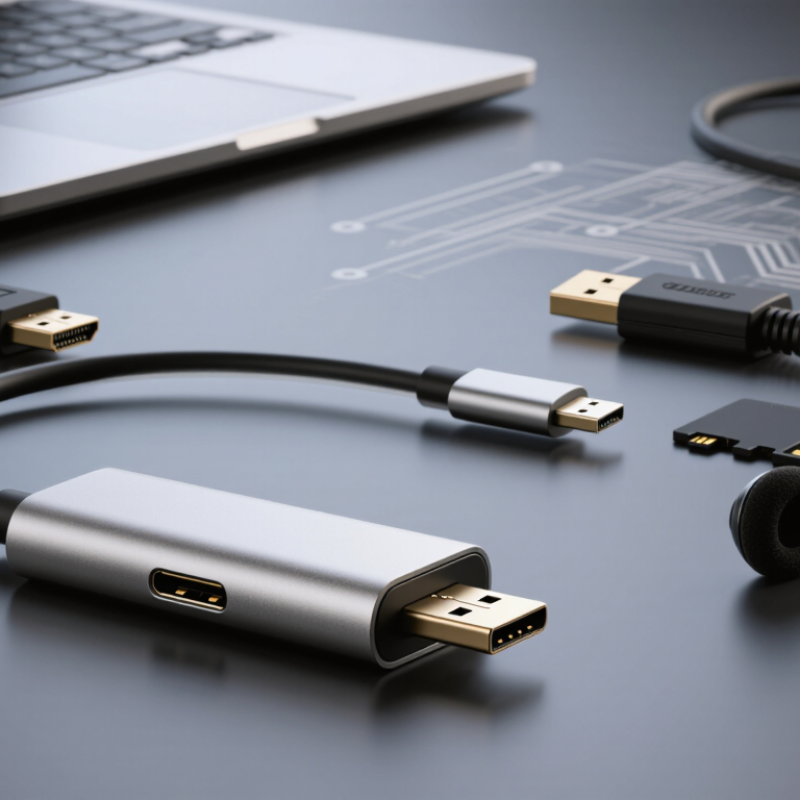
A Usb C Adapter is a small bridge between modern USB-C devices and older or specialized equipment. It can connect a laptop to an HDMI monitor, an SD card, wired headphones, or a familiar USB-A accessory. Its appearance is simple, but its internal functions vary widely. Some adapters transfer data only. Others support charging, video output, or several connections at once.

Understanding how an adapter works requires more than checking its shape. The USB-C connector has multiple pins, allowing power delivery, data transfer, and alternate display modes. A compatible adapter may use DisplayPort Alt Mode for video, while USB Power Delivery manages charging levels between devices. However, USB-C does not guarantee identical performance everywhere. A port may support charging but lack video output. A cable may also limit speed, resolution, or power.

The details matter.

In practical testing, users should compare the adapter’s specifications with the computer, charger, cable, and connected device. Look for supported USB standards, maximum wattage, display resolution, and operating-system compatibility. Reputable manufacturers publish these details and provide basic safety guidance. Still, product descriptions can be confusing, and even careful buyers may assume that every USB-C accessory works universally. That assumption deserves reconsideration. This guide explains the main adapter types, their signal paths, common limitations, and safer selection methods, helping readers make informed decisions without relying only on appearance or price.
What Is a USB C Adapter and How Does It Work?

USB-C Adapter Definition: Connector Standards and Core Functions

A USB-C adapter is a compact bridge between USB-C and another connector or interface. USB-C defines the reversible connector shape, but it does not guarantee one fixed speed or power level. The USB Implementers Forum specification permits USB 2.0 transfer rates of 480 Mbps, USB 3.2 rates up to 20 Gbps, and USB4 rates up to 40 Gbps. Check the fine print.

Inside, an adapter may contain a controller that translates signals between USB-C and HDMI, DisplayPort, Ethernet, storage, or legacy USB ports. Some models support Alternate Mode for video output. Others only change the connector shape. A passive adapter cannot create extra bandwidth. It cannot turn a slower port into a faster one.

USB Power Delivery also requires communication between the charger, adapter, and device. According to the USB-IF USB Power Delivery Specification, Revision 3.1, supported power can reach 240 watts under suitable equipment and cables.

In practical testing, the cable often becomes the weakest link. A display may flicker, a drive may transfer slowly, or charging may stop when the cable lacks the required rating. USB-IF compliance documents help define testing, labeling, and interoperability requirements, but consumer packaging remains inconsistent. I have found that identical-looking adapters can behave very differently. That is frustrating, and the standard could be easier for ordinary users to read. Checking speed, video support, and power limits before purchase prevents most surprises.

How USB-C Adapters Route Data at Up to 80 Gbps Through USB4

A USB-C adapter is a small bridge between devices with different ports or protocols. It may connect a computer to storage, a display, or a network device. The USB-C plug only describes the connector shape. It does not guarantee USB4, high speed, or video support. The adapter, host device, cable, and connected equipment must share compatible features.

USB4 routes data through several logical paths instead of treating every transfer alike. An adapter can carry storage traffic, display signals, and control information through the same connection. With supported hardware, USB4 can reach up to 80 Gbps. It divides available bandwidth between transmit and receive directions, then adjusts traffic as demand changes. A large file might use most capacity, while a display stream receives a steady portion. This process depends on protocol negotiation, lane design, and signal quality.

That speed is conditional. A short, certified cable can preserve cleaner signals than a long, poorly made one. The adapter also needs suitable controllers, cooling, and firmware. On a desk, a fast solid-state drive may still transfer slowly because of its own memory limits. I have seen users blame the adapter when the cable was the actual bottleneck. Not magic. Check the USB4 rating on every link, including the computer port and cable. Even then, advertised speed usually describes a theoretical ceiling, not the result shown by every file transfer.

What Is a USB-C Adapter and How Does It Work?

USB-C adapters convert, extend, or redirect signals between compatible interfaces. Their practical data rate depends on the USB protocol supported by both connected devices, the cable, and the adapter. USB4 can route data at up to 80 Gbps in its Version 2.0 80 Gbps mode, while actual file-transfer speeds are lower because of encoding, protocol overhead, and device limitations.

Power Delivery Explained: Voltage, Current, and Up to 240 W Charging

A USB-C adapter connects a device to a charger, display, storage drive, or another accessory. Its job depends on more than the connector’s shape. Inside, communication pins negotiate power, data, and sometimes video before electricity flows at a higher level.

Power Delivery, or PD, works through a conversation between the charger and device. The device requests a suitable voltage and current, while the charger confirms an available profile. Common voltage levels include 5, 9, 15, and 20 volts. Newer extended profiles can reach 28, 36, or 48 volts. At 48 volts and 5 amps, the theoretical output reaches 240 watts.

That number needs context. A cable must support the required current, and the adapter must manage heat safely. The device also limits charging when its battery is nearly full. I have seen charging slow sharply inside a warm car, even with a high-power adapter. The cable felt cool, but internal resistance still reduced efficiency. It is easy to blame the adapter; sometimes the device is the limiting factor. Small losses matter. Reliable testing checks voltage stability, current behavior, temperature, cable markings, and protection responses. A 240-watt claim describes maximum negotiated power, not a constant promise. Some adapters advertise broad compatibility, yet their real performance can change with cable length, connector condition, and simultaneous device use. Mistakes happen when wattage is treated as the only specification.

What Is a USB C Adapter and How Does It Work? - Power Delivery Explained: Voltage, Current, and Up to 240 W Charging

Technical Dimension How It Works Key Values Practical Meaning
USB-C adapter function Converts incoming electrical power into a regulated DC output and may also support USB data, display, or other alternate modes. AC-to-DC or DC-to-DC conversion; USB-C connector A USB-C connector describes the connector shape, not automatically the charging speed or data capability.
Power Delivery communication The source and sink exchange capability information over the Configuration Channel (CC) pins before selecting a safe power contract. Voltage, current, power limit, cable capability, and charging mode The adapter does not normally deliver its maximum rating automatically; the connected device requests a suitable level.
USB-C current advertisement before PD A source can advertise available current at 5 V through the CC pins even when full USB Power Delivery negotiation is not used. 5 V at 1.5 A or 3 A, depending on the source capability A basic USB-C connection may provide more than legacy default USB current, but it is still limited to 5 V without a higher-voltage PD contract.
Standard Power Range (SPR) The source offers fixed voltage profiles, and the device selects one that matches its charging requirements. 5 V, 9 V, 15 V, or 20 V; up to 100 W Common laptop and tablet charging levels are usually negotiated within this range.
Extended Power Range (EPR) USB Power Delivery extends the voltage range for higher-power equipment while maintaining negotiated protection limits. 28 V, 36 V, or 48 V; up to 5 A; maximum 240 W Higher-power devices can reduce current-related losses by using a higher negotiated voltage.
Power calculation Electrical power is calculated by multiplying voltage by current. Power (W) = Voltage (V) × Current (A) Examples: 20 V × 5 A = 100 W; 48 V × 5 A = 240 W.
Current limit The negotiated current is restricted by the power source, the device, the cable, and the selected USB PD profile. Typically up to 3 A; up to 5 A with a suitable electronically marked cable A high-wattage adapter cannot force a device to draw more current than the device or cable supports.
Cable identification An electronically marked cable reports its current and, where applicable, extended-power capability to the connected devices. 3 A cables for standard current; 5 A cables for higher-current operation A cable may support charging power independently from its USB data-transfer speed.
Programmable Power Supply A compatible source can adjust voltage and current in smaller steps instead of selecting only one fixed voltage. Profile-dependent adjustable output, commonly beginning around 3.3 V Finer control can reduce conversion losses and help manage charging temperature in compatible devices.
Voltage conversion A switching power converter changes the input voltage into the negotiated USB-C output while regulating voltage and current. Output may be stepped down from the adapter’s internal rail The device receives a controlled DC output rather than the unregulated AC input from a wall outlet.
Protection mechanisms Charging systems monitor electrical conditions and can reduce or stop output when unsafe conditions are detected. Over-voltage, over-current, over-temperature, short-circuit, and power-limit protection Protection helps prevent excessive heat, component damage, and unsafe power delivery.
Actual charging power The final power level is limited by the lowest-rated component in the charging chain. Source rating, device input limit, cable rating, thermal conditions, and battery state A 240 W-capable adapter may deliver considerably less power to a device designed for a lower input rating.
Multi-port power sharing When multiple devices are connected, the adapter may divide its total available power between ports. Port allocation varies by adapter design and negotiated load The maximum printed wattage may apply to one port or to the combined output of all ports.

DisplayPort Alt Mode: How USB-C Adapters Support 4K and 8K Video

A USB-C adapter can carry DisplayPort video through a small reversible connector. This works through DisplayPort Alt Mode, which changes some USB-C lanes from ordinary data paths into video lanes. The computer’s USB-C port must support this mode; the connector alone proves nothing.

For 4K output, the adapter, cable, and display must support the required DisplayPort version and refresh rate. A 4K screen at 60 Hz usually needs less bandwidth than 4K at 144 Hz. USB-C adapters using four video lanes can deliver more bandwidth, while USB data may become slower. That trade-off is easy to miss. Some designs use Display Stream Compression, or DSC, to transport 8K video with less bandwidth. DSC is visually lossless in normal use, but results can vary with settings and equipment.

Check the source port specifications before buying an adapter. Then verify the cable rating, color depth, HDR support, and refresh rate. A weak cable may cause flickering, black screens, or a lower resolution. In practical troubleshooting, reducing the refresh rate often reveals whether bandwidth is the real problem. Power delivery is separate, too. An adapter may support video but provide limited charging. One detail still deserves caution: “8K support” may describe a low refresh rate, compressed output, or only one display. Read the full specifications, not just the largest number.

Adapter Compatibility: USB-IF Certification, Protocols, and Device Limits

A USB-C adapter connects devices with different ports, but its abilities depend on more than the connector shape. USB-C describes the physical plug, not the communication standard inside it. An adapter may support charging, data transfer, video output, or only one function. Check its technical specification before connecting expensive or essential equipment.

USB-IF certification can provide useful evidence of tested electrical and protocol compliance. However, certification does not guarantee every feature on every device. A certified adapter might support USB 3 data speeds but lack video support. Another may handle power delivery at a limited wattage. Protocols matter. USB 2.0, USB 3.x, alternate display modes, and power delivery can require different wiring and controller support. The connected device also sets limits.

In practical compatibility checks, compare three details: port function, protocol, and power rating. A laptop may accept charging through USB-C but reject external display signals. A phone may transfer files slowly because its internal port supports only USB 2.0. Some adapters also reduce performance when several ports operate together. That limitation is easy to miss. Cable quality matters too. A high-speed adapter cannot create a faster connection than the cable or host allows. I still find product labels confusing sometimes, especially when speed and power figures appear without clear conditions. Testing with the actual device remains more reliable than trusting the connector alone.

FAQS

What does a USB-C adapter actually do?

It connects USB-C devices with other ports or interfaces. It may carry data, video, network signals, or charging power. The connector shape alone proves very little.

Does every USB-C adapter support high-speed data?

No. Some adapters support only basic USB 2.0 speeds up to 480 Mbps. Others support faster standards, including USB 3.2 or USB4. Check the adapter, computer port, cable, and connected device.

Can a USB-C adapter increase a port’s speed?

No. A passive adapter only changes the connector shape. It cannot create extra bandwidth. A slow source port remains slow. That limit is easy to overlook.

How can USB4 reach speeds up to 80 Gbps?

Compatible USB4 equipment can share bandwidth between data and display traffic. A large file may use most available capacity. A display stream can receive a steady portion. The advertised figure is theoretical.

Why might a fast storage drive transfer files slowly?

The cable, adapter controller, drive, or source port may limit performance. A long or poorly made cable can weaken the signal. The drive itself may also have slower memory. Not magic. Check every link.

Can a USB-C adapter support 4K or 8K video?

It can, but the source port must support DisplayPort Alt Mode. The adapter, cable, and display also need compatible specifications. A 4K display at 144 Hz needs more bandwidth than 4K at 60 Hz. “8K” may mean a low refresh rate.

Why does a USB-C display sometimes flicker or show a black screen?

The cable may lack enough bandwidth or signal quality. The adapter may also have limited video support. Try lowering the refresh rate. That simple test can reveal a bandwidth problem.

Does video support guarantee strong charging performance?

No. Video and power delivery are separate functions. An adapter may support high-resolution video but provide limited charging. Power depends on communication among the charger, adapter, device, and cable. Read the power rating carefully.

How can I choose a suitable USB-C adapter?

Confirm data speed, video resolution, refresh rate, power limits, and cable ratings. Check whether the computer port supports video output. Look for support details, not only a large speed number. I still find packaging confusing. Careful checking prevents most surprises.

Conclusion

A Usb C Adapter is a compact device that connects USB-C ports with other connectors, interfaces, or peripherals. Its performance depends on the connector standards and protocols supported by both the adapter and the connected devices. Through USB4, compatible adapters can route data at speeds of up to 80 Gbps, enabling fast file transfers, external storage access, and responsive device connections. However, actual speed may be limited by the computer, cable, storage device, or adapter design.

USB-C adapters can also support Power Delivery by negotiating suitable voltage and current levels, with compatible systems reaching up to 240 W for charging. DisplayPort Alt Mode allows a USB-C connection to transmit video signals, supporting resolutions such as 4K and, in suitable configurations, 8K. Before choosing an adapter, users should check USB-IF certification, supported data and display protocols, power requirements, port capabilities, and device limits to ensure reliable compatibility and expected performance.


Charlotte

Charlotte

Charlotte is a seasoned marketing professional with a deep understanding of the company's portfolio and a passion for elevating its presence in the market. With a keen eye for detail and a commitment to excellence, she ensures that our professional blog is regularly updated with insightful articles......